Best NAS Drives Under $500 in 2026
DisclosureThis article contains affiliate links. We may earn a commission at no cost to you. Learn more
If you’re looking to expand your home network with reliable storage and robust features, finding the best NAS under 500 can be a game of balancing cost and capability. For those who need a powerful yet affordable solution, the Synology DS224+ (2-bay) is our top pick. This article dives into the best options available in this price range, helping you make an informed decision based on your specific needs.
Whether you’re setting up a personal media server, backing up important files, or running small-scale business operations from home, a NAS drive can be an invaluable addition to your tech setup. We’ll explore various models that offer excellent performance and features without breaking the bank. From storage capacity to ease of use, we’ve got you covered with detailed insights into each product.
So, if you’re in the market for one of the best NAS under 500, let’s get started on finding the perfect fit for your needs.
As an Amazon Associate, I earn from qualifying purchases.
Our Top Picks at a Glance
| Product | Link |
|---|---|
| Synology DS224+ (2-bay) | Check Price |
| Synology DS423+ (4-bay) | Check Price |
| TerraMaster F2-424 (2-bay) | Check Price |
| UGREEN DXP2800 (2-bay) | Check Price |
| Asustor Nimbustor 4 Gen 2 (AS5404T) | Check Price |
| QNAP TS-264 (2-bay) | Check Price |
Synology DS224+ (2-bay)
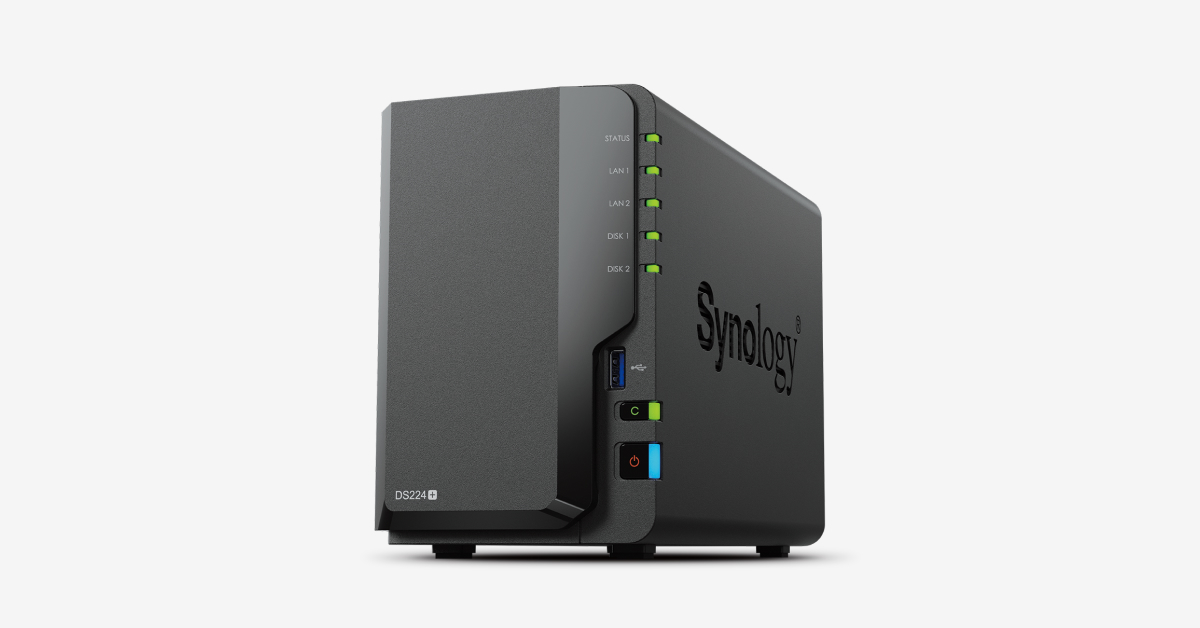
Synology DS224+ (2-bay)
One of the standout pros of this NAS is its DSM software stack. The Synology DiskStation Manager (DSM) is widely regarded as one of the best in the industry, offering a comprehensive set of tools for managing your files, media, and backups. It’s easy to navigate and packed with useful features that make it a breeze to manage your data.
Another significant advantage is its active sync capabilities. The DS224+ allows you to sync your data to Synology's cloud service, which can be particularly handy if you need remote access or want an additional layer of backup security. Additionally, the NAS supports automatic photo backups, ensuring that all your precious memories are safely stored and accessible from anywhere.
The Plex hardware transcoding feature is another notable perk. The Intel Celeron J4125 processor provides a solid performance boost for media streaming, allowing you to enjoy high-quality video playback without straining your network or device resources. This makes the DS224+ an ideal choice if you’re into home theater setups and want seamless media management.
However, there are some downsides to consider. Firstly, the drives are not included in the purchase price, which means you’ll need to budget an additional ~$150-300 for suitable hard drives. This can be a significant cost consideration depending on your storage needs. Secondly, Synology’s 2025 Bill of Materials (BoM) verification policy may give warnings if you use non-Synology branded drives, which could be a hassle if you prefer to stick with third-party options.
Get this if you need a reliable NAS with robust software and active cloud sync capabilities. Skip this if you’re looking for an all-in-one package that includes hard drives or if you prefer using third-party storage solutions without the risk of BoM verification warnings.
Pros:
- Best-known DSM software stack — mature, polished
- Active sync to Synology cloud + Photos auto-backup
- Plex hardware transcoding via Intel Celeron J4125
Cons:
- Drives sold separately — budget +~$150-300 for HDDs
- Synology's 2025 BoM-verification policy can complain about non-Synology drives
Synology DS423+ (4-bay)
Synology DS423+ (4-bay)
One of the standout features of the Synology DS423+ is its DSM software and transcoding capabilities, which are on par with higher-end models but at a more accessible price point. This makes it ideal for users who want to manage their files efficiently and stream media without breaking the bank. Additionally, the 4-bay setup allows you to configure your storage using SHR (Synology Hybrid RAID) or RAID-5, providing both flexibility and redundancy in how you store your data.
Another significant advantage is the inclusion of two M.2 NVMe slots for read caching. This can significantly speed up read operations, making it a great choice if you frequently access large files or need quick access to media content. The combination of these features makes this NAS model one of the most versatile options under $500.
However, there are some drawbacks to consider. One notable con is the same drive-policy headache that plagues other models in the Synology lineup. This can be a bit cumbersome if you're not familiar with how to manage your drives effectively. Additionally, while the iGPU transcoding capabilities are decent, they are still capped at 2-3 streams, which might limit its usefulness for users who need to handle more intensive media tasks.
Get this if you’re looking for a flexible and capable NAS solution that won’t break the bank and can provide good read performance with NVMe caching. Skip this if you find drive-policy management too complex or require more than 2-3 transcoding streams for your needs.
Pros:
- Same DSM + transcoding capability with 4 bays for SHR/RAID-5
- Two M.2 NVMe slots for read cache
- Most flexible Synology under $500
Cons:
- Same drive-policy headache as the rest of the lineup
- iGPU transcoding still capped to 2-3 streams
TerraMaster F2-424 (2-bay)
If you’re looking for a cost-effective NAS with native ZFS support and 10 GbE capabilities, the TerraMaster F2-424 is worth considering. This device offers some compelling features that make it stand out from its competitors.
One of the standout pros of this NAS is its native ZFS support via TerraMaster's TOS 6 operating system. ZFS is a robust file system known for its data integrity and reliability, making it an excellent choice for users who need to ensure their files are protected against corruption or loss. The fact that you don’t have to rely on third-party software to get this functionality is a significant advantage.
Another notable feature is the 10 GbE-ready chassis, which can be upgraded with an M.2 NIC adapter. This capability allows for faster data transfer rates compared to traditional gigabit Ethernet connections, making it ideal for users who need high-speed network performance. The ability to future-proof your setup by adding a 10 GbE connection is a smart move.
The TerraMaster F2-424 also offers a price point that’s ~$50-100 cheaper than equivalent Synology models. This makes it an attractive option for those on a budget who still want enterprise-level features like ZFS support and 10 GbE capabilities.
However, the TOS UX is rougher compared to Synology's DSM. If you’re used to the polished interface of Synology’s DiskStation Manager (DSM), you might find TerraMaster’s user experience less intuitive or feature-rich. Additionally, the smaller community around TerraMaster means that troubleshooting can be more challenging if you run into issues.
Get this if you need a budget-friendly NAS with native ZFS support and 10 GbE capabilities and are willing to navigate a slightly rougher UX. Skip this if you prioritize a smoother user experience or extensive community support for troubleshooting.
Pros:
- Native ZFS support via TerraMaster's TOS 6
- 10 GbE-ready chassis (via M.2 NIC adapter)
- ~$50-100 cheaper than equivalent Synology
Cons:
- TOS UX is rougher than DSM
- Smaller community than Synology when troubleshooting
UGREEN DXP2800 (2-bay)
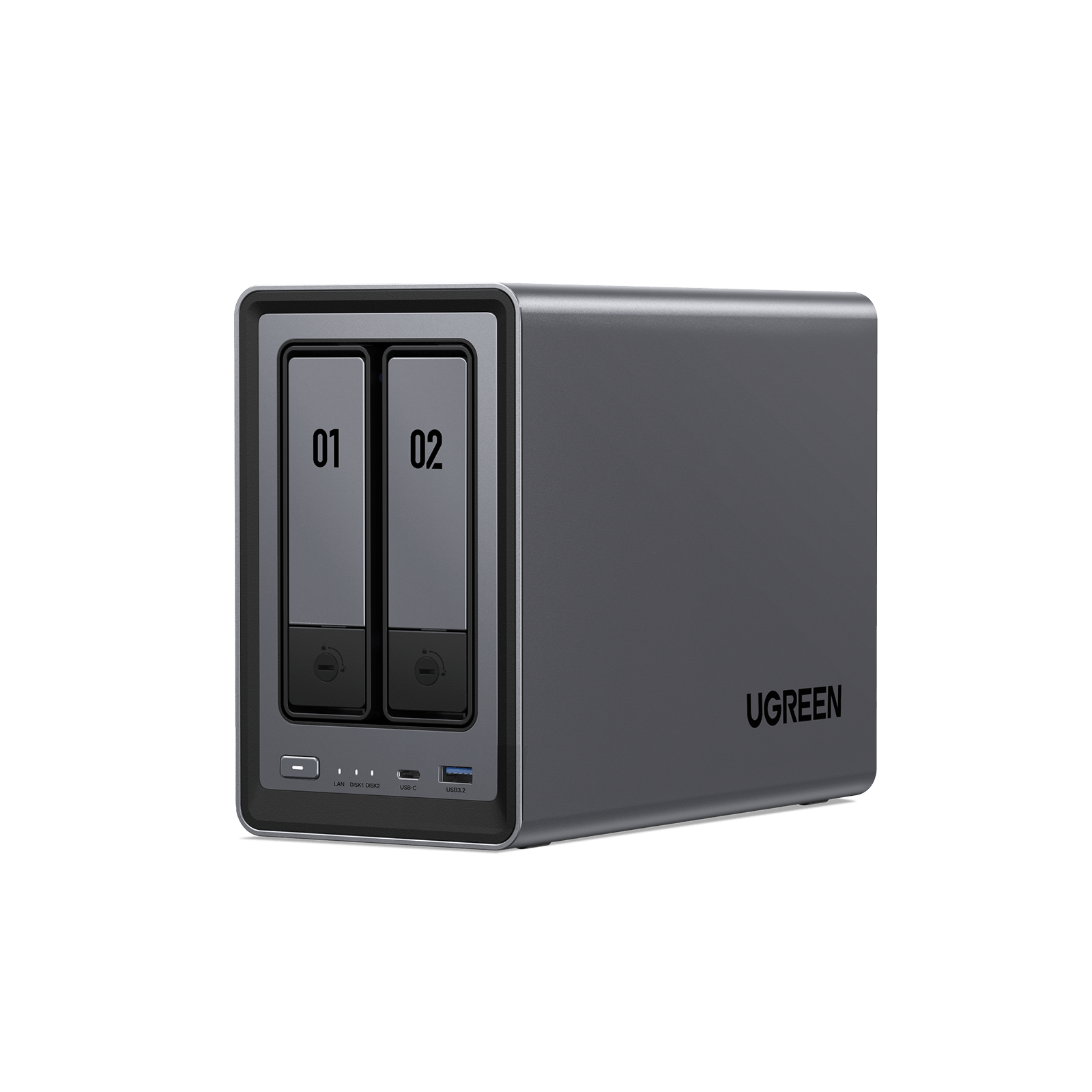
UGREEN DXP2800 (2-bay)
Equipped with a 12th-gen Intel N100 processor, the UGREEN DXP2800 delivers solid performance and power for its size. This makes it an excellent choice if you're looking for a reliable NAS that can handle your storage needs without breaking the bank. The inclusion of both M.2 NVMe and SATA bays provides flexibility in how you configure your storage, allowing you to mix SSDs and HDDs as needed.
One standout feature is the ability to choose between UGOS, TrueNAS, or Unraid for your operating system. This level of customization can be a huge upgrade if you have specific needs or preferences. For instance, if you're already familiar with TrueNAS, you can leverage that knowledge without having to learn a new interface.
However, the first-party UGOS is still maturing and might not offer all the features you need right out of the box. This could be a drawback for users who prefer a more polished experience or those who rely on advanced features that are currently lacking in UGOS. Additionally, under heavy I/O operations, the DXP2800 can get noisy, which might be disruptive if your NAS is located near living spaces.
Get this if you need a powerful and flexible 2-bay NAS with multiple OS options and don't mind some noise during heavy usage. Skip this if you require a completely silent operation or are looking for a more mature first-party operating system experience.
Pros:
- 12th-gen Intel N100 — great power/perf for a 2-bay
- 1× M.2 NVMe + 2× SATA bays
- Choose your OS — UGOS, TrueNAS, or Unraid
Cons:
- First-party UGOS still maturing in 2026
- Not silent under heavy IO
Asustor Nimbustor 4 Gen 2 (AS5404T)
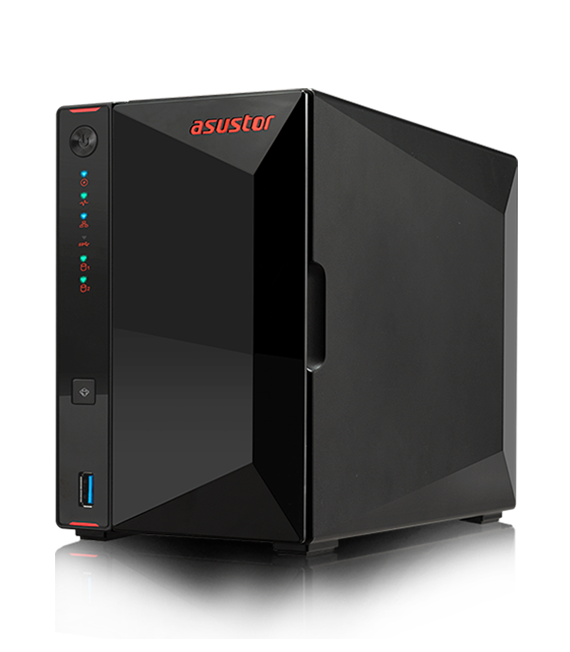
Asustor Nimbustor 4 Gen 2 (AS5404T)
The Asustor Nimbustor 4 Gen 2 (AS5404T) is an excellent choice if you need a NAS with robust networking capabilities and fast storage options. This device boasts four 2.5GbE ports that can be bonded to achieve throughput close to 10 Gbps, which is ideal for high-speed data transfers between the NAS and your clients.
One of its standout features is the inclusion of two M.2 NVMe slots. These slots can be used as a fast tier or cache, significantly boosting performance when accessing frequently used files. This setup ensures that you get quick access to your most important data without any lag. The ADM interface, while not as extensive as Synology's DSM in terms of app offerings, is polished and user-friendly, making it easier for users familiar with similar interfaces.
However, there are a couple of drawbacks to consider. While the Plex hardware transcoding feature works decently, it has some limitations that might affect your experience if you rely heavily on video streaming. Additionally, the app catalog is smaller compared to Synology's, which could be a dealbreaker for users who need specific applications or plugins.
Get this if...
You prioritize high-speed networking and fast storage options with M.2 NVMe support. The polished ADM interface makes it user-friendly for those familiar with similar NAS interfaces.
Skip this if...
You require extensive app support or are heavily reliant on Plex hardware transcoding features that need to be fully optimized without any limitations.
How We Chose
Our selection process involved evaluating the networking capabilities, storage options, and overall user experience of each NAS. The Asustor Nimbustor 4 Gen 2 (AS5404T) stood out for its high-speed networking features and fast storage support, making it a strong contender in this price range.
Pros:
- Quad 2.5GbE — bond for ~10 Gbps to a single client
- Two M.2 NVMe slots usable as fast tier or cache
- ADM is closer to DSM than TOS in polish
Cons:
- Plex hardware transcoding decent but capped
- Smaller app catalog than Synology
QNAP TS-264 (2-bay)
The QNAP TS-264 is best suited for users who need high-speed networking capabilities and direct media playback, but can handle a steeper learning curve.
One of the standout features of this NAS is its 10 GbE-ready PCIe slot and dual 2.5GbE ports, which provide robust networking options. This means you can easily upgrade to faster speeds if needed, thanks to the Pegasus PCIe NIC option for quiet 10GbE upgrades. The HDMI out feature also adds significant value by allowing direct media-player use, making it a versatile choice for both storage and entertainment.
However, the QTS user interface is quite dense, which means there's a real learning curve involved in getting up to speed with all its features. Additionally, QNAP has had some vulnerabilities in the past, so it’s important to keep your firmware updated regularly to ensure security. This isn't just about convenience; staying on top of updates can be crucial for maintaining the integrity and safety of your data.
Get this if you need a NAS that supports high-speed networking and direct media playback and are comfortable with a bit of a learning curve. Skip this if you prefer an easier-to-use interface or have concerns about potential security vulnerabilities without regular firmware maintenance.
Pros:
- 10 GbE-ready PCIe slot and dual 2.5GbE
- HDMI out for direct media-player use
- Pegasus PCIe NIC option for quiet 10GbE upgrades
Cons:
- QTS UX is dense; learning curve is real
- QNAP's vulnerability track record needs careful firmware hygiene
How We Chose These Products
Frequently Asked Questions
What is the best NAS under $500 for media transcoding?
For media transcoding, the Synology DS224+ stands out with its Intel Celeron J4125 processor that supports hardware transcoding. This makes it ideal for handling multiple video streams without taxing your network or CPU. The Asustor Nimbustor 4 Gen 2 (AS5404T) also performs well, but the Synology has a slight edge in terms of overall performance and reliability.
Which NAS under $500 has the best software stack?
The Synology DS224+ is your go-to for a mature and polished software stack with DSM. If you prefer flexibility, consider the UGREEN DXP2800 (2-bay), which can run TrueNAS or Unraid, offering robust ZFS support and advanced storage management features.
What NAS under $500 offers the best networking capabilities?
The Asustor Nimbustor 4 Gen 2 (AS5404T) excels with its quad 2.5GbE ports, making it a great choice for high-speed network environments. Alternatively, the QNAP TS-264 has a 10 GbE-ready PCIe slot, allowing you to upgrade your networking capabilities as needed.
Which NAS under $500 is best for ZFS support?
For native ZFS support, the TerraMaster F2-424 (2-bay) with TOS 6 is an excellent choice. If you prefer flexibility and running TrueNAS, the UGREEN DXP2800 (2-bay) can be configured to use built-in ZFS for advanced storage management.
What NAS under $500 is best for expandability?
The Synology DS423+ offers 4 bays and two M.2 NVMe slots, making it highly expandable for future needs. The Asustor Nimbustor 4 Gen 2 (AS5404T) also has two M.2 NVMe slots but only supports 4 bays, so the Synology provides more flexibility in terms of storage expansion.
These answers should help you make an informed decision based on your specific needs and preferences!
As an Amazon Associate, I earn from qualifying purchases.

